In Action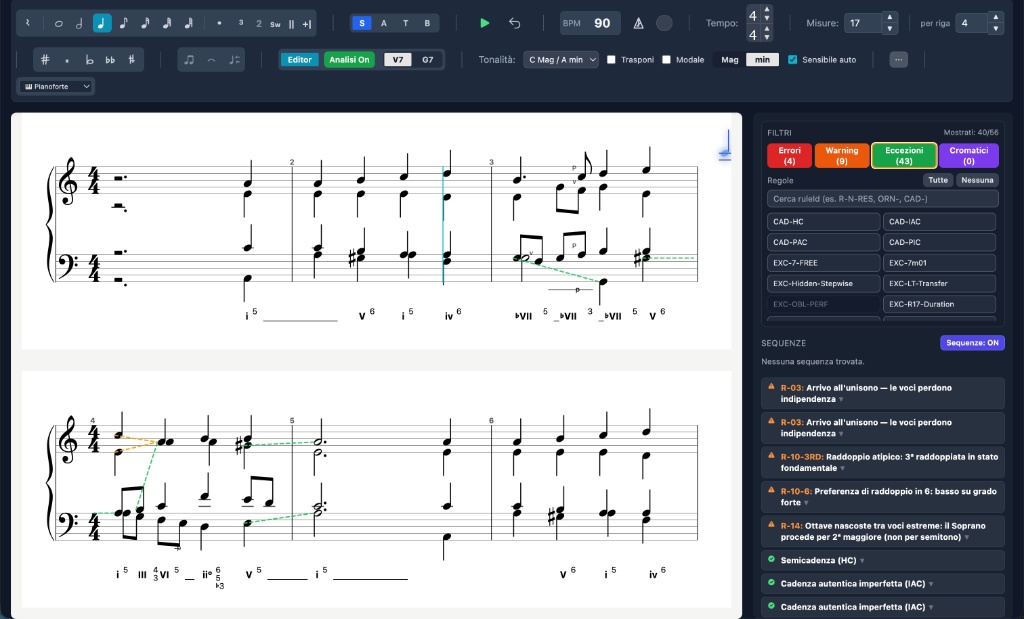
Analysis Panel
Severity filters, expandable violations and recognized cadences
Analyze every chord as you write, realize the four voices, add orchestration and hear them. The essential app for music students and teachers.
Built on Dubois, Piston and Pedron treatises. Corpus of 350+ analyzed pieces.
✔ Secure download for macOS & Windows • No credit card requiredTry all Harmony Tutor features for 10 days on your computer. Quick installation, immediate results.
Not sure which one? Apple menu → "About This Mac" → "Chip": if it shows "Apple M…" choose Apple Silicon, otherwise Intel.
Current version: v1.10.2
Harmony students get no immediate feedback at home. Mistakes accumulate and are only corrected in the next lesson.
Students only discover their errors in class, when the context is already forgotten.
Teachers keep flagging the same technical mistakes instead of focusing on musicality.
There is currently no software offering real-time harmonic analysis on a professional SATB editor.
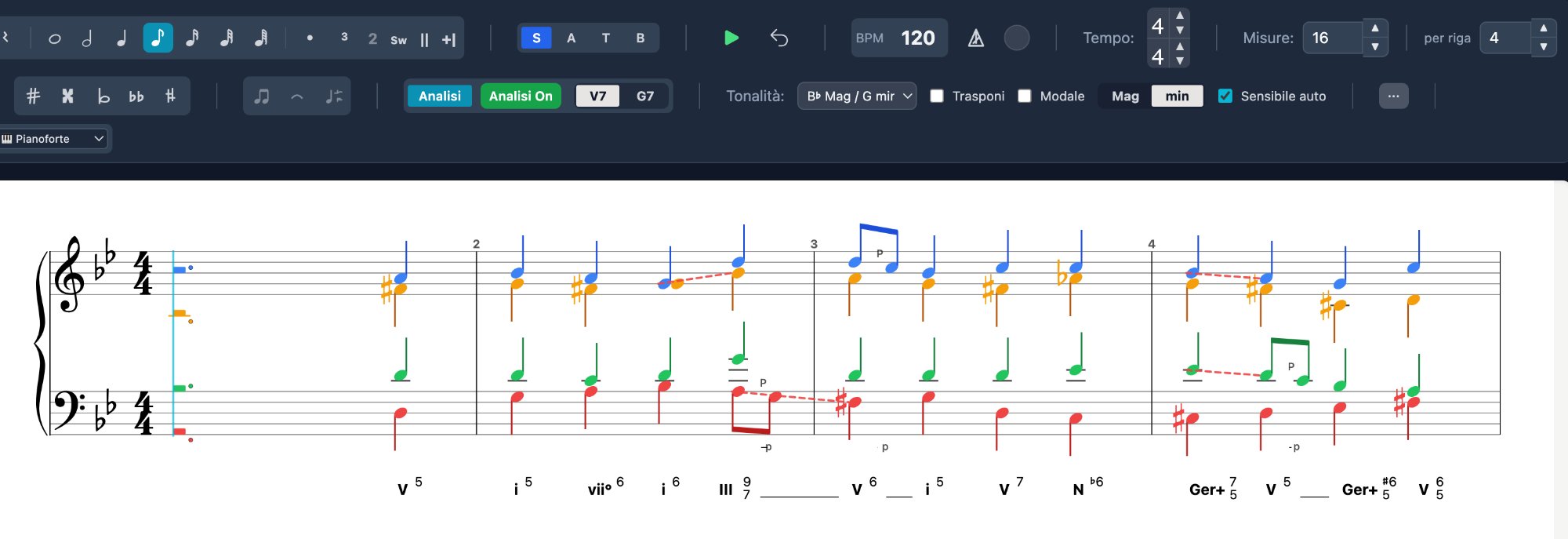
See how the engine handles complex cases like diminished chords and augmented sixths.
Augmented Sixths vs Dominant
Diminished chords: 4 resolutions with the same notes
Video Tour: Real-Time SATB Harmonic Analysis
Autumn leaves Analysis: Real-Time SATB Harmonic Analysis
14-step analysis engine, 40+ SATB rules with exceptions, corpus-guided chorale realizer.
Four independent voices. All durations, accidentals, 24 keys. Grand Staff layout, ancient clefs, close and open voicing.
Roman numerals below and chord symbols above the staff. 14-step pipeline with a corpus of 260+ pieces.
Errors, warnings, exceptions. Each flag includes a code, description and suggestion. Context-sensitive.
Passing tones, neighbor tones, suspensions and more. Separated from chordal analysis.
Generates SATB from Roman numerals. Beam-search with 8 candidates. Corpus-based suggestions.
MIDI, MusicXML 4.0, PDF, PNG. Compatible with MuseScore, Finale, Sibelius.
Harmony Tutor digitizes assignments, allowing lessons to focus on aesthetic and interpretive aspects.
Streamline teaching communication with editable native files:
MusicXML 4.0 support ensures flexibility across all major platforms.
Severity filters, expandable violations and recognized cadences
Functional notation below the staff, modern chord symbols above (C, Am, D7/F#, Dm7, G7...). Independently toggleable.
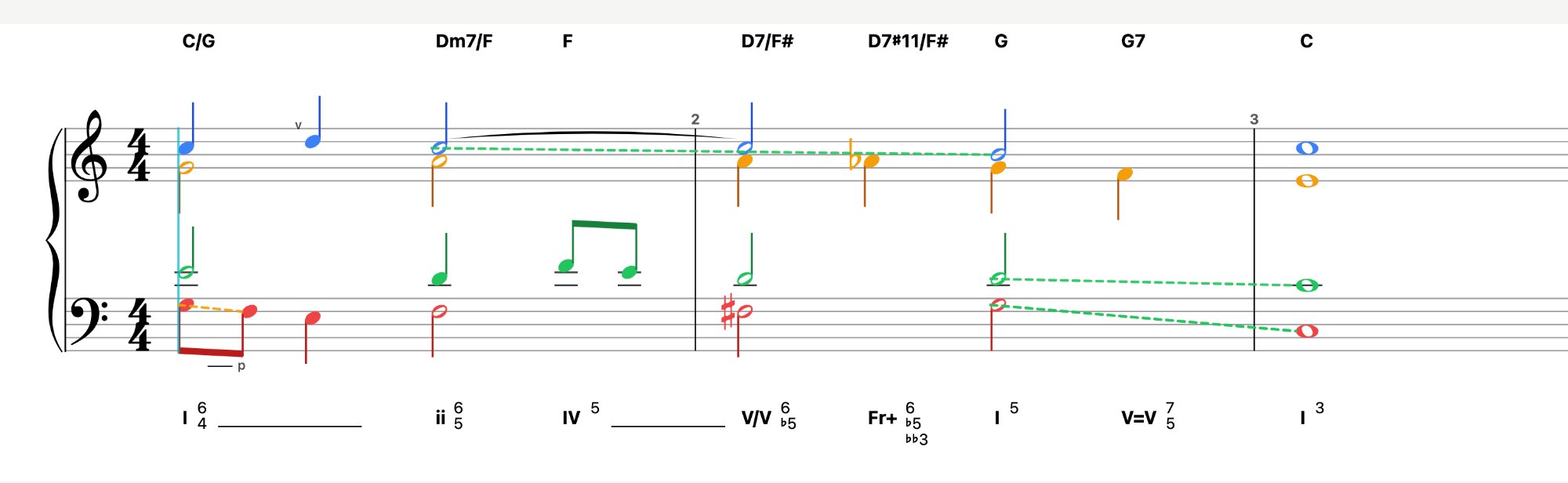
Green = allowed movements and cadences. Orange = warning. Red = error.
No subscription. Updates included.
Download the complete manual with all features and shortcuts.
↓ Download User Manual (PDF)Answers to the most common questions about installation, usage and licenses.
The free trial is the complete program: every feature, for 10 days. After that a licence is required to keep using Harmony Tutor. The licence is a one-time purchase, with no time limit and no subscription.
Yes. Each license allows 2 activations. If you switch computers, deactivate the license on the old device and reactivate on the new one. Contact us by email if you need help.
Yes. Harmony Tutor is available for macOS (10.15+) and Windows (10/11). One license covers both platforms.
This is a standard Windows SmartScreen warning for newer applications. Click "More info" then "Run anyway". The application is safe and digitally signed.
When the trial ends, Harmony Tutor asks for your licence key at startup. Your files remain yours and stay on your computer: enter the licence and you pick up exactly where you left off. You can buy one at any time.
After purchase you'll receive a licence key by email. If the trial is still running, open the Harmony Tutor menu (on Windows: View) and choose “Manage License…”; if it has already expired, the activation box appears by itself at startup. Paste the key and click “Activate”. Internet connection required.
Note input requires holding Ctrl (Windows) or Cmd (Mac). Hold the key, move the mouse over the staff and you'll see a transparent "ghost note" as a guide. Click to place the note. Also make sure you've selected the correct voice (S/A/T/B) and are in the right staff.
Change voice: press V or click S/A/T/B in the toolbar. Duration: number keys (1-7) or toolbar. Delete: select the note and press Delete/Backspace. See the manual for all keyboard shortcuts.
Yes, in two ways. Step input: choose voice and duration and play — the note goes in and the cursor moves on by itself; play a chord and its notes are distributed across the parts in one go. Or record in real time, with a count-in and automatic quantisation when the take ends.
Yes, via MusicXML 4.0 format. Export your file as MusicXML from your notation software, then in Harmony Tutor go to File → Import MusicXML. MIDI import is also supported.
Position the playhead in the desired position and press the letter T, when the panel opens, make the necessary changes.
Yes, both displays are independent. In the toolbar you'll find toggles to enable/disable Roman numerals (below the staff) and modern chord symbols (above the staff). You can use both simultaneously or individually.
Yes. Use the volume controls for each voice (S, A, T, B) to mute or solo individual parts during playback.
Export your work as MIDI (File → Export MIDI) and import it into your DAW. Each voice is exported on a separate MIDI channel, so you can assign different virtual instruments to each part.